Contents
- Index
Everything Else
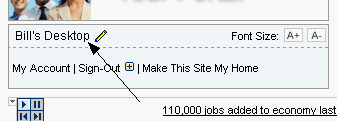
How can I tell if I am logged into my account?
When you are logged into your personal account, your name will appear in the upper left hand corner of the page.
Can I change the font size on my page?
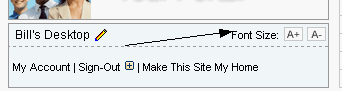
To change the size of the text on your homepage, click the A+ and A- buttons in the upper left hand corner of the page.
How can I make this site my homepage?
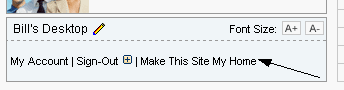
To make this site your homepage, click the Make This Site My Home link in the upper left hand corner of the page.
How do I use the events calendar?
If there is an event scheduled, the date in the calendar will be bold, and the corner of the date turned over.
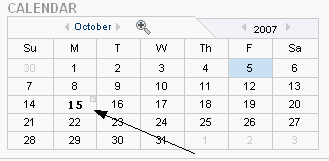
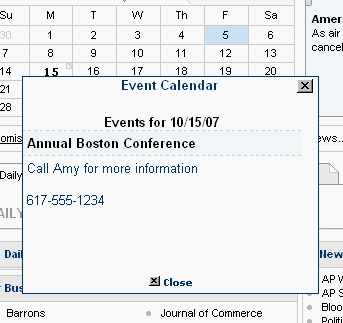
Mouse over the date to see the name of the event. For more information, click on the date. A box with details will open near the calendar.
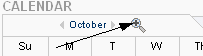
You can also see the entire month at a glance by clicking the magnifying glass at the top of the calendar.
Where can I find announcements on the site?
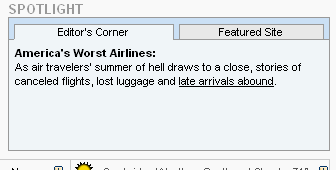
Check the Spotlight in the upper right hand corner of the page for notes from your site editor, announcements, information on conferences and other interesting and important information. Please note that there are two tabs at the top of the spotlight. Be sure to click the second tab for more content.
What other tools are available? Or, what will I find in the menu on the left side of the page?
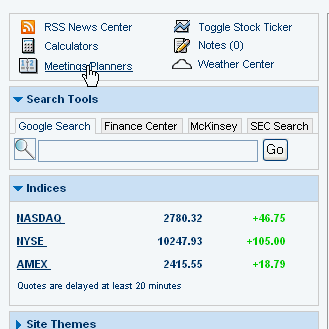
Be sure to check the left menu on your homepage for more helpful tools. This may include links to calculators and meeting planners, search boxes, indices, important links, and much more.