Contents
- Index
Customizing Site Content
Can I add personal links to the site?
You can add personal links to the site in two places. You can also create your own links categories within your MyLinks portlet. (See MyLinks.) You can also create subcategories of your own links within the content provided for you.
How do I add personal links to site portlets?
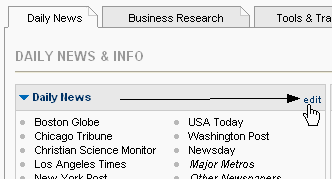
When you mouse over any links widget within a site portlet, you'll see an "edit" link in the upper right hand corner. Click that link.
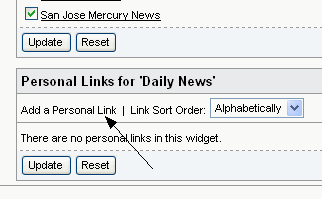
At the bottom of the Edit page, you'll see a section for Personal Links. Click the Add a Personal Link link to get started.
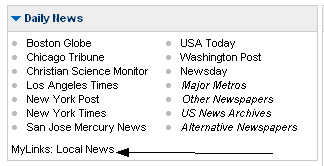
Enter the url (address) of the link you wish to add, and name the link. When you are finished, click the Add Link button. When you return to your homepage, a new MyLinks subcategory will have been added to the links widget, including your personal links.
Can I edit the links that are provided for me?
You can hide links within site porlets that you do not use. They will remain available to be added again if you choose. To do so, mouse over the links widget, and click the "edit" link in the upper right hand corner. On the Edit page, you'll see all of the links within that widget listed, and each has a check box next to it. Uncheck the boxes for those links you wish to hide.
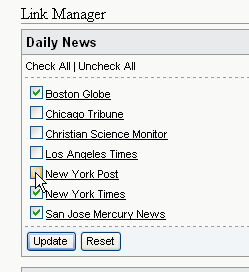
When you're done, click the Update button to save your changes. When you return to your homepage, the links that you unchecked will not appear. You can return to the Edit page at any time to turn the links back on.
Can I choose different site content?
Your site may offer multiple themes. Switching to another theme will swap out the portlets in the main body of your site and show you different content. If this feature is available, you will see your content options listed in a widget in your left menu.
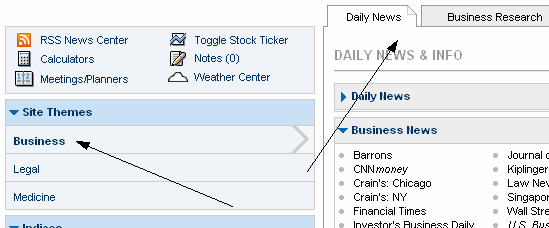
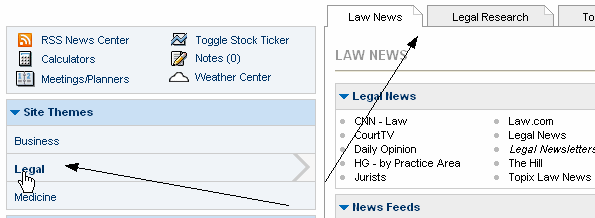
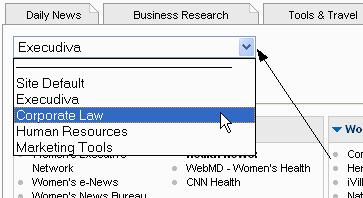
You may also be able to choose from multiple Specialty Portlets. When available, the Specialty Portlet is the portlet next to your MyLinks personal portlet, and is not a part of the main Theme. When multiple Specialy Portlets are available you will see a dropdown menu within your Specialty Portlet on the homepage, where you can select a different portlet to display in that space.
Can I hide other content I don't need?
There are several features on the site that can be hidden or closed. Many widgets can be closed by clicking the arrow to the left of the widget name. You can later reopen the widget by clicking the arrow again.
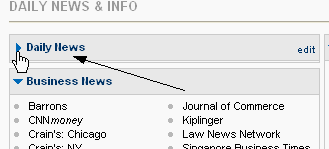
You can also hide your news ticker by clicking the arrow to the left of the ticker. This can be reopened at any time by clicking the arrow again.

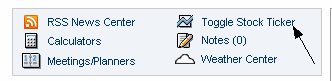
If a stock ticker is available on your site, you can also open or close that ticker at any time, using the "Toggle Stock Ticker" link in your toolbox.
Can I personalize other content?
In addition to your portlets and personal links, there are several customization options on the site. Please see Weather Center and News Center for more information.